Write in your Obsidian vault with Apple Pencil.
Inkidian is a native iPad app for handwritten notes and PDF annotation. Everything is saved as plain files in your vault, right next to your Markdown.
Free during the beta. Needs an iPad with Apple Pencil on iPadOS 18 or later, and the free Inkidian plugin for Obsidian.
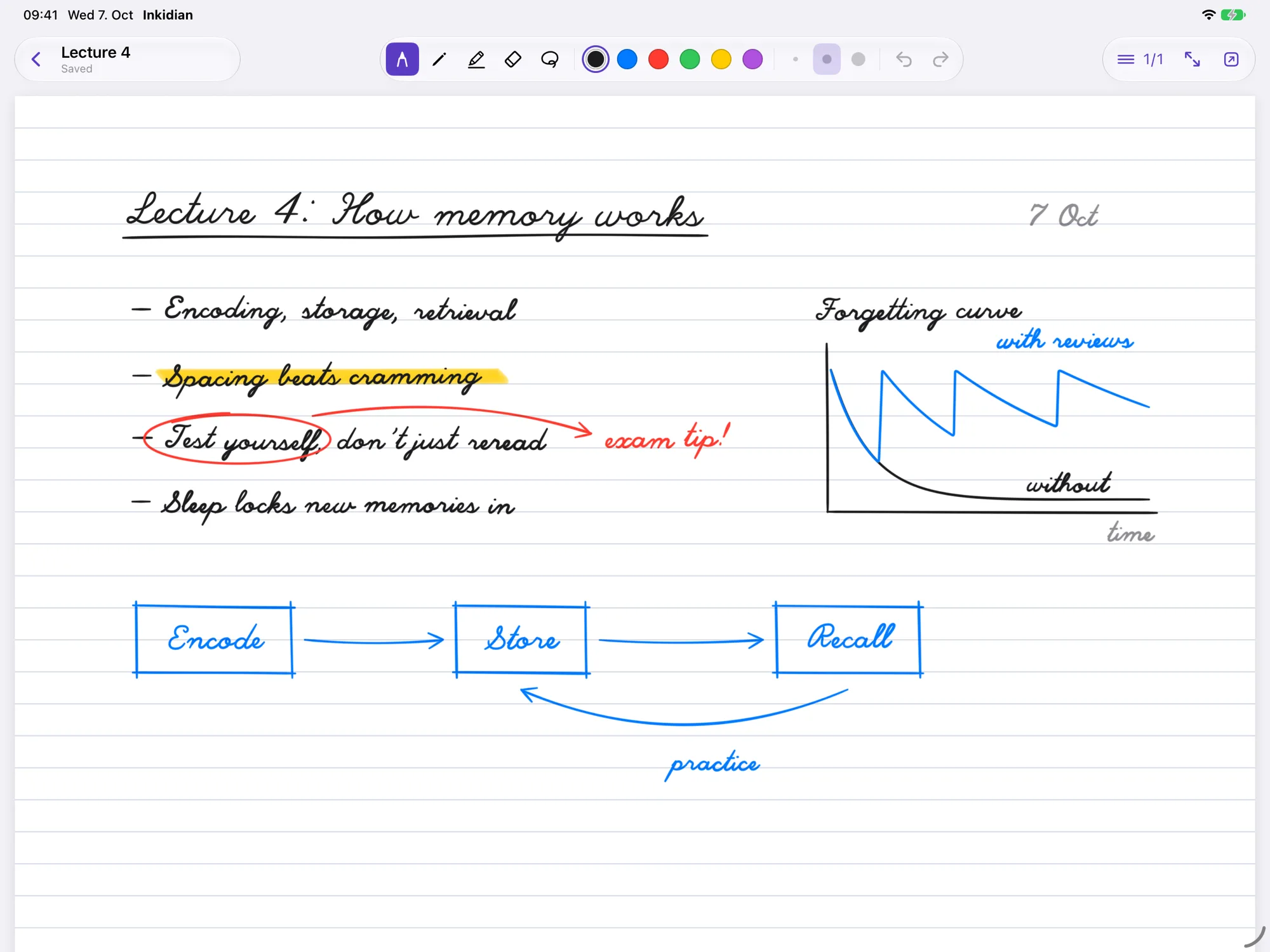
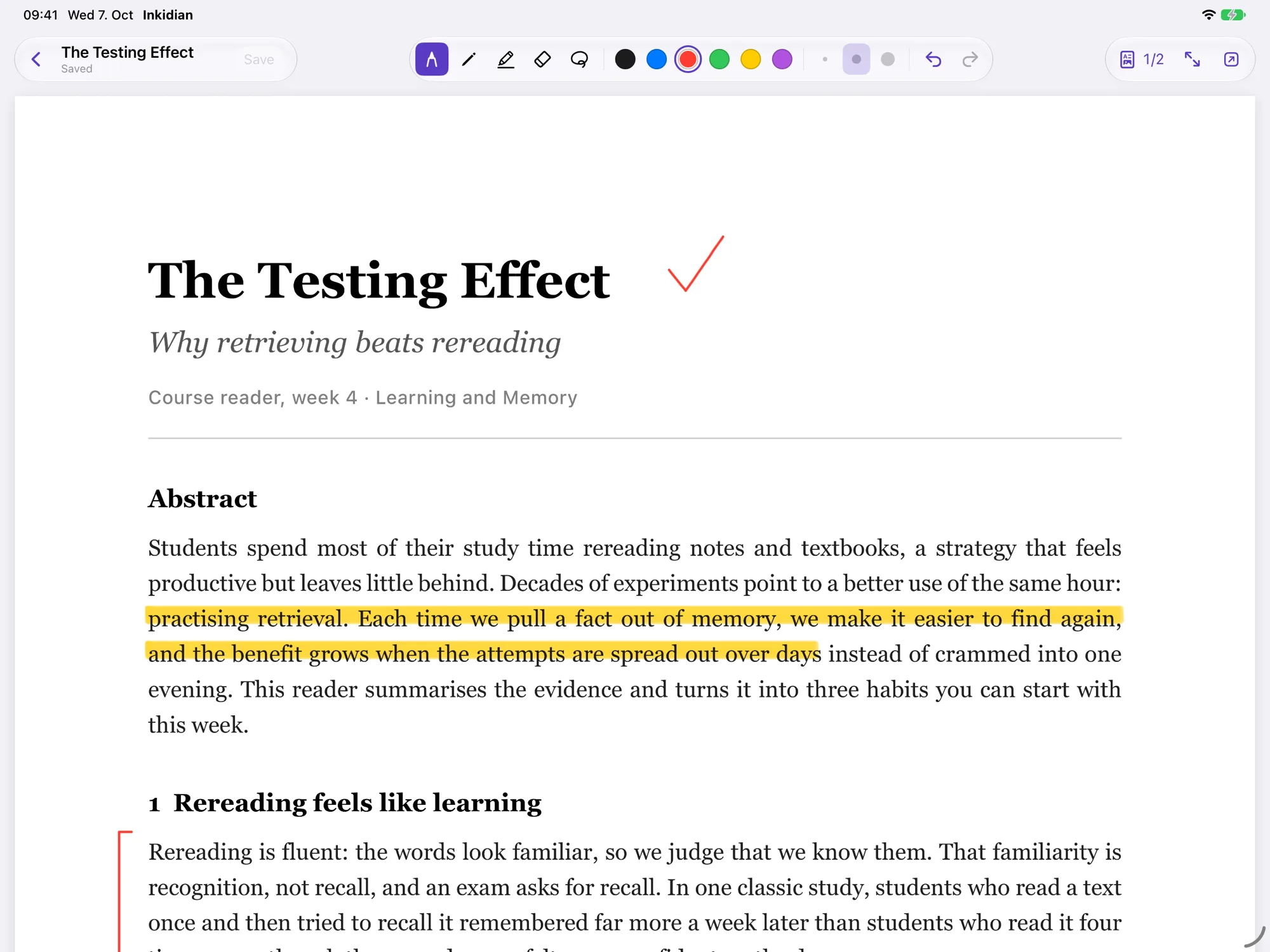
Handwriting that keeps up, files that stay yours.
Obsidian is built on web technology, so drawing plugins draw inside a web view. Inkidian is a native iPad app instead, and hands everything back to your vault.
- Ink right under the tip
- Inkidian draws with PencilKit, the engine Apple uses in Notes and Markup, so the line stays right under Apple Pencil.
- PDFs and images, annotated in place
- Annotations go into the PDF itself, so Preview, Acrobat and your browser show them too. For images, update the original or keep a copy.
- An open file format
- Handwritten notes are .inkd files: plain JSON with a public spec, readable without Inkidian. Read the format spec
How it works
Pick your vault folder once in Inkidian. From then on both apps work on the same files, with nothing to import, export or sign up for.
 Inkidian
on your iPad
Write and annotate with Apple Pencil.
Your vault folder
local, iCloud or Obsidian Sync
- Lecture 4.inkd
- Paper.pdf
- Whiteboard.jpg
Obsidian
with the free Inkidian plugin
Shows your notes next to your Markdown, on iPad, Mac and PC.
Buy it once
Inkidian will be a one-time purchase with a 14-day free trial. No subscription. The Obsidian plugin is free, and because .inkd is an open format, your notes stay readable even if you stop using the app.
Questions
Does it work with Obsidian Sync?
Yes. Inkidian writes into the vault folder on your iPad, and Obsidian Sync takes it from there. In Obsidian's Sync settings, turn on syncing for other file types so .inkd files are included.
Obsidian uploads changes while it is open, so open Obsidian once after writing to send your notes to your other devices.
Can I see my handwritten notes on my Mac or PC?
Yes. The free Inkidian plugin shows .inkd notes in Obsidian on any device. Editing happens on the iPad.
While the plugin waits for review in Obsidian's community directory, install it with the BRAT plugin. The steps are on the support page.
What happens to my PDFs?
Your annotations are written into the PDF as standard PDF annotations. Open the file in Preview, Acrobat or a browser and they are there. You can still change or erase them later in Inkidian.
Does Inkidian collect any data?
No. There is no account, no analytics and no server. Your files stay on your iPad and in the sync service you chose. Details are on the privacy page.
Get one email at launch
The beta is open now. If you'd rather wait for the App Store release, leave your email and you'll hear from me once, on launch day.