 Inkidian
Handwriting in Obsidian on iPad
How to write by hand in your Obsidian vault with Apple Pencil, and annotate PDFs and images, with the notes saved as files next to your Markdown.
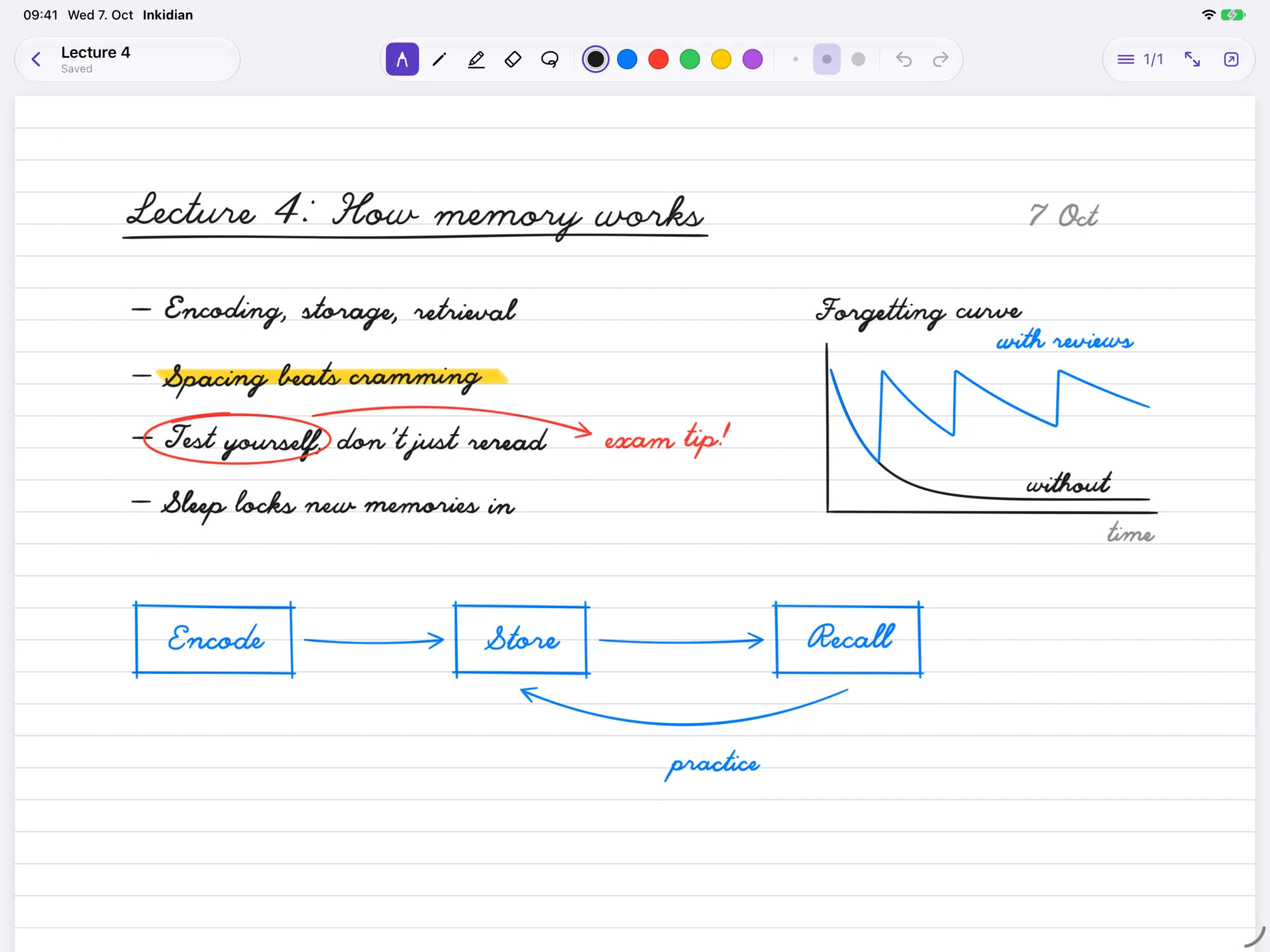
Write in Inkidian on the iPad. Your handwritten notes are saved as .inkd files in your vault, and the free Inkidian plugin shows them in Obsidian on every device.
Write with Apple Pencil, straight into your vault
Obsidian is built on web technology, so drawing plugins draw inside a web view. Inkidian is a native iPad app instead. It draws with PencilKit, the engine Apple uses in Notes and Markup, so the line stays right under the tip of Apple Pencil.
- Pen, pencil, highlighter, eraser and lasso, on blank, lined, grid or dotted paper.
- Hold the Pencil still at the end of a stroke: a line becomes straight, and a circle, rectangle or triangle becomes a perfect shape.
- Every note is an .inkd file in your vault, right next to your Markdown. Nothing to import, export or sign up for.
- .inkd is plain JSON with a public spec, so your notes stay readable, with or without Inkidian.
Annotate PDFs and images in your vault
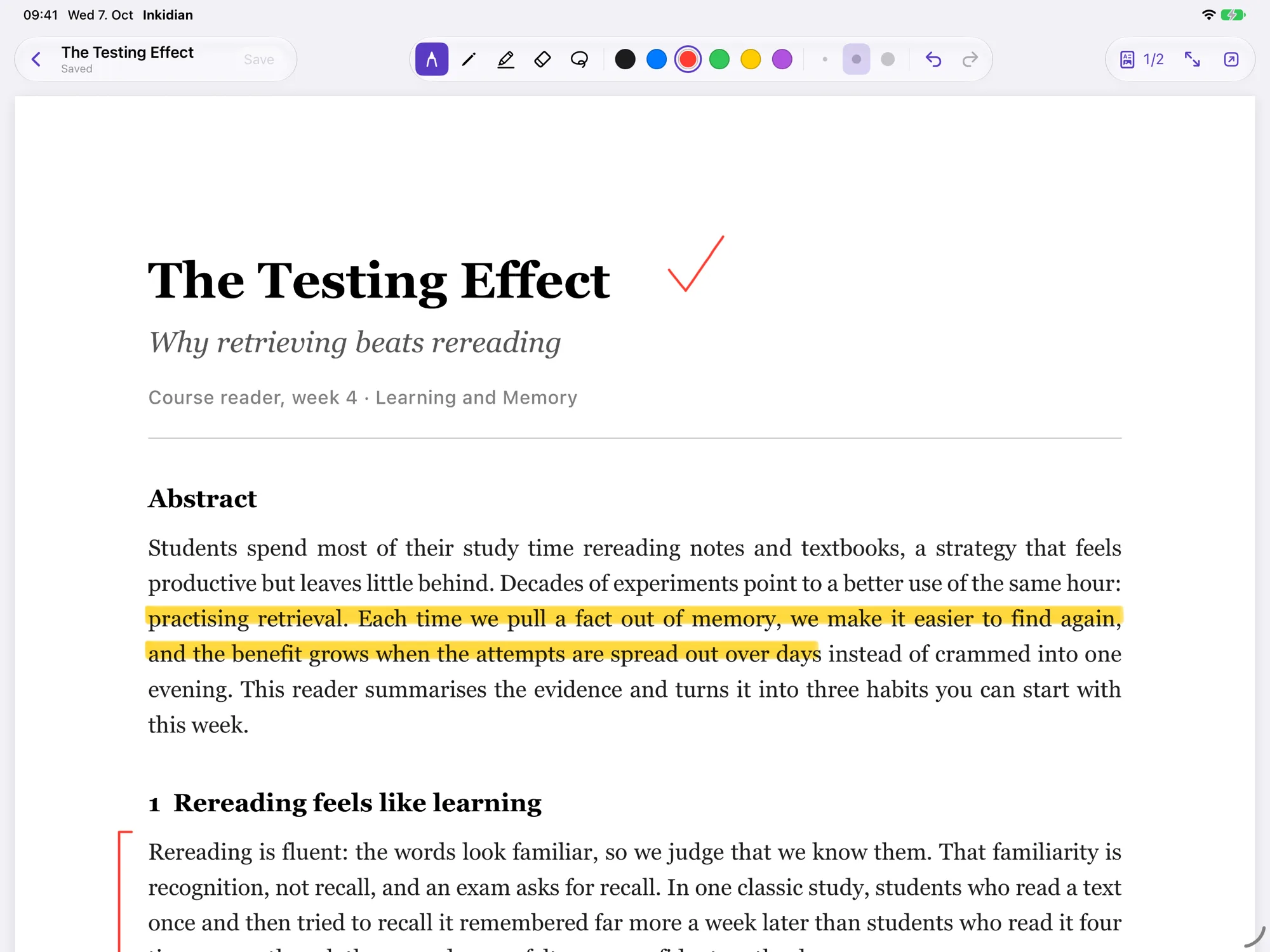
Open a PDF or an image from your vault and write on it. Annotations go into the PDF as standard PDF annotations, so Obsidian, Preview, Acrobat and your browser show them too. You can still change or erase them later in Inkidian.
The highlighter follows the text underneath: one straight highlight per line, as in a text selection. For images, update the original everywhere it is embedded, or keep an annotated copy next to it.
See your notes in Obsidian on every device
The free Inkidian plugin opens .inkd notes in Obsidian, page by page, on the paper they were written on. It works in Obsidian on iPad, iPhone, Mac, Windows and Linux.
- Embed a note in Markdown like an image:
![[Lecture 4.inkd]]. The embed shows the first page. - On the iPad, the round nib button on a note opens it in Inkidian. Back in Obsidian, the note updates on its own.
- Inkidian: New note at cursor starts a new note in Inkidian and embeds it where the cursor is in your Markdown note.
- On a Mac, the experimental live preview shows each stroke in Obsidian as soon as you lift the Pencil.
Set it up in three steps
- Get Inkidian from the App Store on your iPad.
- Open Inkidian and tap Choose Vault Folder. Pick your vault's top folder, the one that contains the .obsidian folder. It's under On My iPad › Obsidian (local and Obsidian Sync vaults) or in iCloud Drive › Obsidian.
- In Obsidian, open Settings › Community plugins › Browse, search for Inkidian, then install and enable it. Do this on every device where you want to see your notes.
From then on both apps work on the same files.
Other options
Drawing plugins such as Excalidraw work inside Obsidian itself, so there is no second app to install. They draw inside Obsidian's web view.
Inkidian is a separate native app: you write in Inkidian, and read and embed your notes in Obsidian. Writing works on the iPad only; the plugin shows your notes everywhere.
Questions
Does it work with Obsidian Sync and iCloud?
Yes. Inkidian writes into the vault folder on your iPad, and your notes sync wherever your vault already syncs: iCloud, Obsidian Sync or anything else. With Obsidian Sync, turn on syncing for other file types so .inkd files are included, and open Obsidian once after writing so it uploads your notes.
Does it work offline?
Yes. There is no account and no Inkidian server. Your notes are saved on your iPad, and your sync service sends them to your other devices when it can.
What does it cost?
Inkidian is free for 14 days, then a one-time purchase of $9.99 / €9.99. No subscription. The Obsidian plugin is free.
What do I need?
An iPad with Apple Pencil on iPadOS 18 or later, and Obsidian with the free Inkidian plugin.